Streamline Shipping in OpenCart with KOKU SCRIPTS extensions
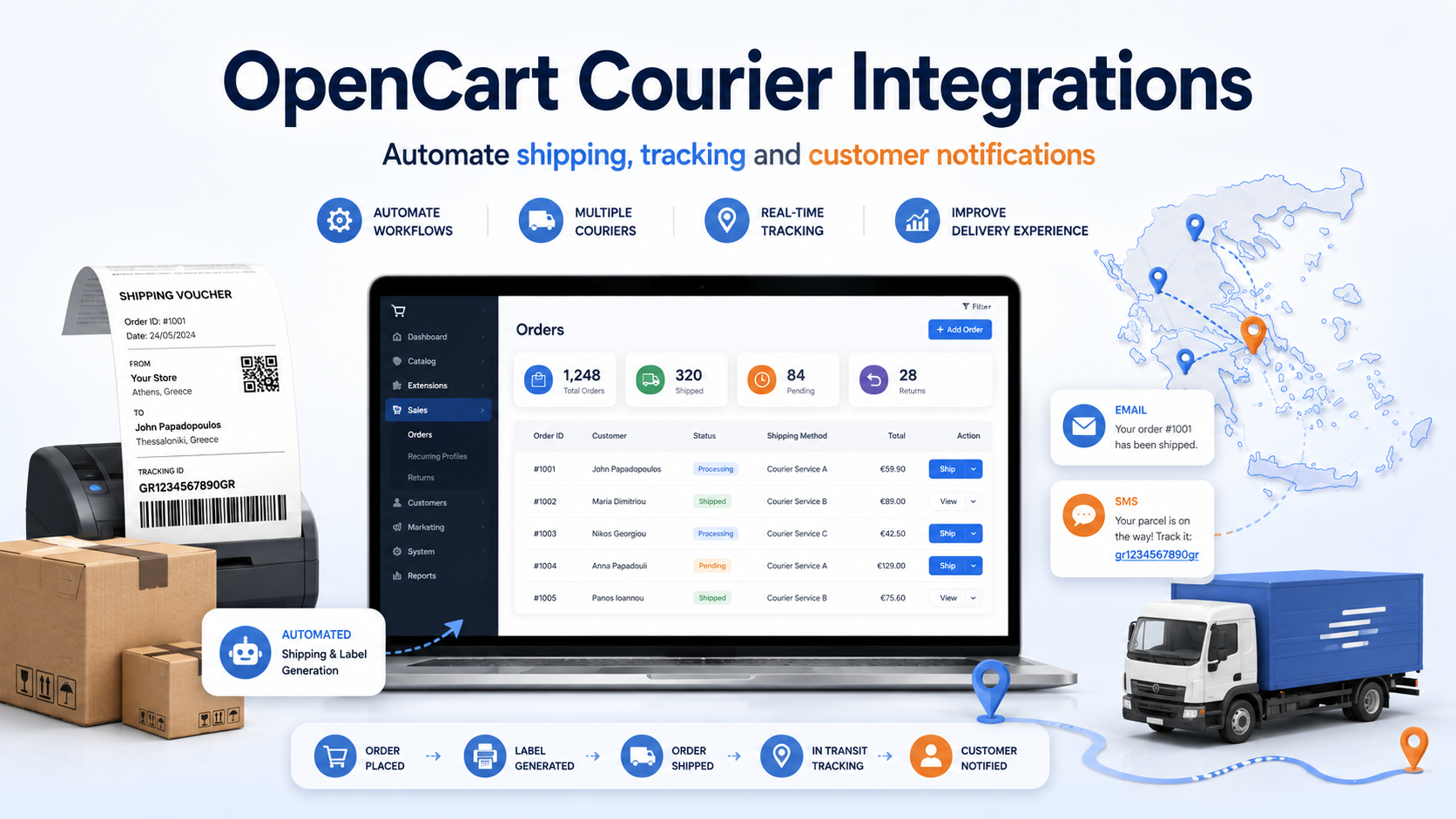
Shipping management is one of the most repetitive and time-consuming parts of running an online store. For every order, your team may need to enter the customer’s details into a courier platform, create the shipping voucher, print the label, update the order status and send the tracking information to the customer.
As order volume increases, handling these steps manually takes more time and creates additional opportunities for errors, such as an incorrect address, telephone number or cash-on-delivery amount.
To simplify this process, KOKU SCRIPTS has developed a range of extensions that connect OpenCart with major courier companies operating in Greece.
Manage courier shipments directly from OpenCart
With an OpenCart courier extension, the main shipment preparation and tracking tasks can be completed directly from your store’s administration panel.
The extension uses the information already stored in the OpenCart order, reducing the need to copy customer and shipment details into a separate courier application.
What can you do with the OpenCart courier extensions?
- Create shipping vouchers directly from the OpenCart admin panel.
- Create vouchers in bulk for multiple orders.
- Print shipping vouchers and labels without leaving OpenCart.
- Print pickup lists or daily shipment lists, depending on the courier service.
- Track shipment status from the OpenCart administration area.
- Automatically update the order status after creating a shipment.
- Automatically notify customers by email.
- Send SMS notifications through APIFON or YUBOTO where this feature is supported.
- Use customised email and SMS notification messages.
- Edit important shipment details before creating the voucher.
- Adjust customer information, shipping details and the cash-on-delivery amount.
- View a complete history of shipments created through OpenCart.
Why automate your shipping process?
Reduce manual data entry
The customer and order information already exists in OpenCart. The courier extension uses this data when creating the shipment, reducing the need to enter the same information again in another system.
Reduce shipping errors
Automatically transferring the order information helps limit typing errors in customer names, addresses, telephone numbers and cash-on-delivery values.
Prepare more orders in less time
Bulk voucher creation and printing allow your team to prepare multiple shipments through one centralised workflow rather than processing every order separately.
Keep shipment information in one place
Shipping vouchers, tracking details and shipment history remain connected with the corresponding OpenCart orders, giving your team a clearer view of the fulfilment process.
Keep customers informed automatically
Customers can receive automatic email or SMS notifications after a shipment is created, without requiring your team to write and send a separate message for every order.
Available OpenCart courier integrations
KOKU SCRIPTS provides OpenCart extensions for the following courier services:
- ACS Courier for OpenCart
- Speedex for OpenCart
- Geniki Taxydromiki for OpenCart
- Courier Center for OpenCart
- ELTA Courier for OpenCart
- Red Courier for OpenCart
- Mass Courier for OpenCart
- XP Courier for OpenCart
How does voucher creation work?
The exact process may vary slightly between courier companies, but it normally includes the following steps:
- Select one or more OpenCart orders.
- Review the customer and shipment information.
- Adjust the cash-on-delivery amount or other shipment details when necessary.
- Create the voucher through the courier’s connected online service.
- Print the shipping label.
- Update the OpenCart order and notify the customer according to the extension settings.
Bulk voucher creation and printing
For stores processing a larger number of daily orders, bulk voucher creation is one of the most valuable features.
Instead of opening and processing every order individually, administrators can select multiple orders and create the corresponding shipments through one centralised workflow.
Track courier shipments inside OpenCart
The tracking functionality allows administrators to view available shipment progress information from the OpenCart admin panel.
When a customer requests an update, your team can locate the relevant order and review the shipment details without manually searching for the voucher number on a separate courier website.
Automatic customer notifications by email and SMS
The extensions can automatically notify customers after a shipment has been created, using a customised message configured through the extension settings.
Where supported, SMS notifications can be sent through services such as APIFON and YUBOTO. An active account with the selected SMS provider is required to use this functionality.
Compatibility and technical requirements
The supported OpenCart and PHP versions may differ between courier extensions. Some integrations support OpenCart 3 and OpenCart 4, while others may support OpenCart 3 or earlier releases.
Before purchasing an extension, review the corresponding product page to confirm:
- The supported OpenCart version.
- The required PHP version.
- Whether ionCube Loader is required.
- Journal 3 compatibility.
- The connection requirements for the courier company’s API or web services.
Each extension includes six months of technical support and updates, unless otherwise stated on the relevant product page.
Do I need an account with the courier company?
Yes. The extension connects OpenCart with the courier company’s online services, but it does not replace the commercial agreement between your business and the courier.
You will normally need an active business account and the appropriate API or web-service credentials supplied by the courier company.
Frequently asked questions
What is an OpenCart courier extension?
It is an extension that connects an OpenCart store with the online services of a courier company. It allows administrators to create, print, manage and track shipments directly from the OpenCart admin panel.
Can I create shipping vouchers without opening the courier platform?
Yes. The vouchers are created from OpenCart through the connection between the extension and the courier company’s online service.
Can I create multiple vouchers at the same time?
Yes. The courier extensions support bulk voucher creation for multiple orders, helping reduce the time required to prepare daily shipments.
Can I change the cash-on-delivery amount before creating the shipment?
Yes. You can review and adjust the cash-on-delivery amount and other important shipment details before creating the voucher.
Can the OpenCart order status be updated automatically?
Yes. Depending on the extension settings, the order status can be updated automatically when the shipment is created or processed.
Can customers receive automatic email or SMS notifications?
Yes. The extensions support automatic email notifications. Selected courier integrations also support SMS notifications through APIFON or YUBOTO.
Can I track shipments from OpenCart?
Yes. Available shipment tracking information can be viewed from the OpenCart admin panel alongside the corresponding order.
Are all courier extensions compatible with OpenCart 4?
Not necessarily. Compatibility varies between extensions, so you should confirm the supported OpenCart version on the relevant product page before purchasing.
Are the extensions compatible with Journal 3?
Many of the courier extensions support Journal 3. The exact compatibility should be confirmed on the product page for the specific courier integration.
Is there a monthly subscription?
The extensions are purchased through a one-time licence and do not require a monthly subscription to KOKU SCRIPTS. Separate commercial charges may apply from the courier company or SMS provider.
Is technical support included?
Yes. The courier extensions include six months of technical support and updates, unless otherwise stated on the corresponding product page.
Browse the available OpenCart extensions and select the courier integration used by your online store.